



Practical Ways To Integrate Wireless Data Networks Today

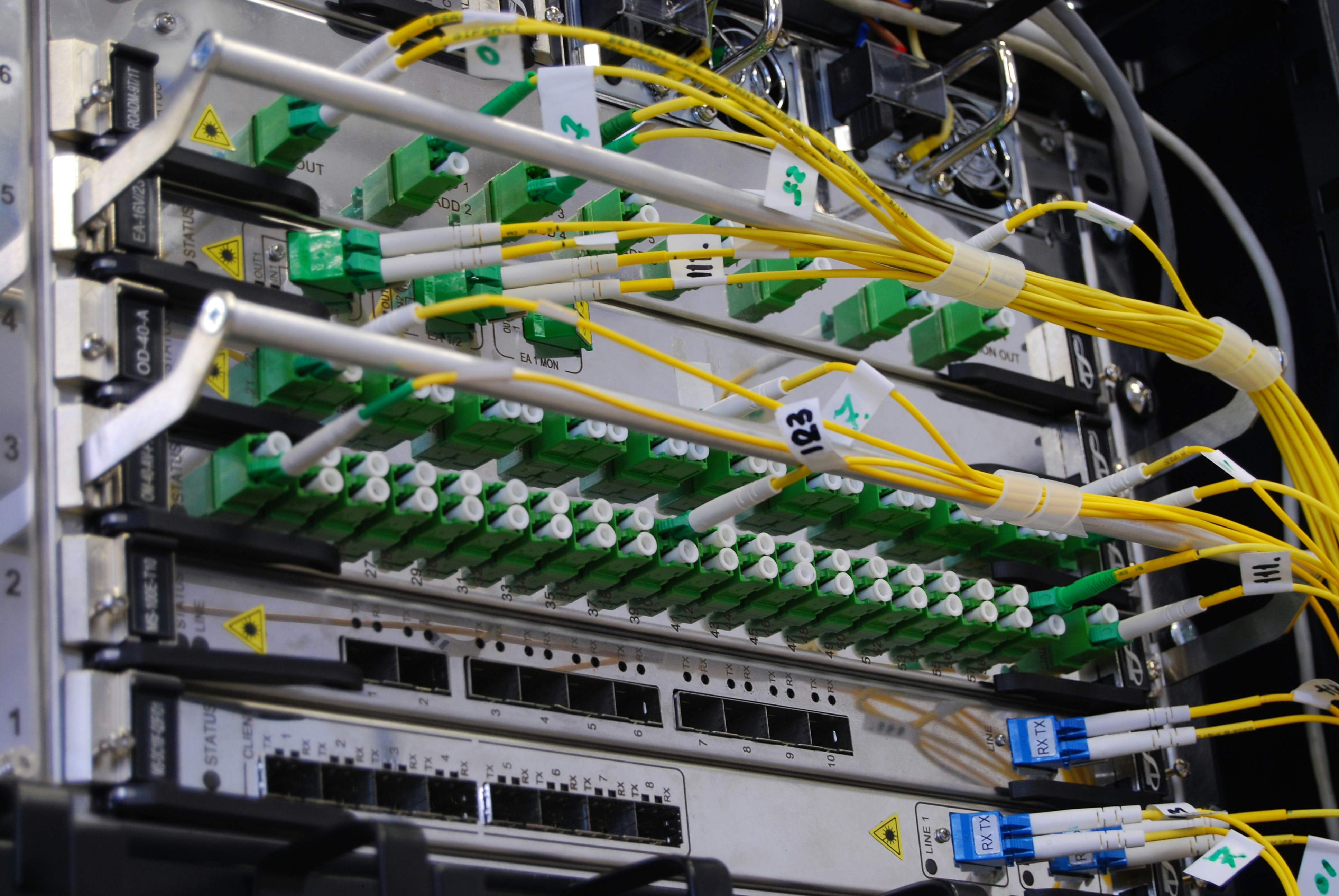
Practical Ways To Integrate Wireless Data Networks Today
Modern networks are no longer built around a single access technology. Most teams blend Wi-Fi, cellular, and low-power IoT options to match use cases, budgets, and timelines. The good news is that the tooling and standards are mature enough to start now.
This guide focuses on practical steps you can apply in weeks, not years. It highlights what to deploy, where to put it, and how to secure and manage it. You will see repeatable patterns you can lift straight into your plans.
Each section stands on its own, so you can skip around. If you already have Wi-Fi in place, jump to segmentation or monitoring. If you are scaling sensors, head to the IoT sections first.
Start With A Clear Use Case
Begin with a simple inventory of the business problems you need to solve. List real workflows like mobile point of sale, warehouse scanners, or camera backhaul. Tie each to a service level for latency, throughput, and uptime.
Decide what failure looks like for each use case. Some devices can wait a minute and retry, while others need continuous service. Align wireless choices with how painful downtime would be.
Pick 2 or 3 high-value use cases to pilot. Treat everything else as phase two. A clear scope keeps budgets tight and accelerates lessons learned.
Finally, define how you will measure success. Choose metrics like ticket volume, median latency, or task completion time. Make these visible to sponsors from day one.
Choose The Right Wireless Mix
Match technologies to needs rather than forcing one radio everywhere. Wi-Fi fits high-density indoor access, while 4G or 5G excels at mobility and wide-area reach. LPWAN connects small messages at ultra-low power.
Avoid false choices. Many sites benefit from Wi-Fi for LAN traffic and cellular for failover or outdoor assets. IoT may use a different path than laptops.
Consider device lifecycles. Laptops refresh every few years, but sensors may run for a decade. Your mix should support long-lived gear without constant truck rolls.
Run small proofs where the choices are not obvious. Measure airtime usage, jitter, and retry rates, then pick the combination that meets targets with headroom.
Plan For Coverage And Capacity
Start with a floor plan and expected device counts by area. Map where people congregate and where machines operate. Note walls, racking, and reflective surfaces.
Do predictive surveys to avoid overbuilding. Model channel reuse, client density, and roaming paths. Validate with a quick on-site test before full rollout.
Right-size radios and antennas. Busy corridors benefit from directional patterns, while open spaces suit omnis. Consider mounting height to reduce co-channel contention.
Add buffers for peak seasons and events. If you expect 30 users, plan for 50. Capacity cushions beat emergency upgrades every time.
- Map user density by hour
- Model channel plans per floor
- Verify roaming with walk tests
- Reserve spare PoE ports
Secure The Network From Day One
Adopt layered security that starts at identity and extends to radio policy. Use strong authentication, modern encryption, and role-based access. Limit shared secrets and rotate credentials on a schedule.
Build controls that match data sensitivity. Segment traffic for guests, staff, and devices. Inspect flows at boundaries and log access decisions for audits.
Follow guidance that translates standards into practice. A federal institute recently announced work that demonstrates how to apply 5G security and privacy capabilities across real deployments, emphasizing practical controls and recommended patterns. Use this as a blueprint to align teams and vendors.
Do not treat wireless as a special case. Fold it into your broader vulnerability management, patch windows, and incident drills. The fastest incident response is the one you have already rehearsed.
Bring IoT Online With LoRaWAN
IoT projects often fail when batteries die early or backhaul costs spike. Low-power wide-area networks solve this by trading throughput for range and efficiency. They shine for sensors, meters, and alerts.
Choose modules and gateways that match message size and duty cycle. Place gateways high, test for interference, and validate payload formats end-to-end. You will spot most issues during this dry run.
You can source how-to guides, devices, and network planning help from specialists. You can take a look at www.concept13.co.uk for examples of antennas, gateways, and deployment patterns that fit real-world constraints. Keep the proof small, then standardize a recipe that any site team can follow.
Plan device updates and key rotation up front. Use over-the-air activation where possible. Keep payloads compact to stretch battery life.
Connect Remote Sites With Fixed Wireless
When fiber is unavailable or delayed, fixed wireless fills the gap. Licensed microwave delivers high capacity across line-of-sight paths. 5G fixed wireless suits shorter timelines and moderate demand.
Survey paths for obstructions and Fresnel clearance. Trees grow, and cranes move, so leave headroom. Consider diverse mounts to reduce wind sway.
Engineer for weather. Rain and snow affect certain bands more than others. Build margins that keep links stable in bad weeks, not just good days.
Treat fixed wireless as primary or backup, depending on risk. Pair it with SD-WAN to fail over gracefully. Test cutovers during business hours so teams trust the process.
Make Management Cloud-First
Centralized controllers simplify change and troubleshooting. They also reduce the need for on-site expertise. Pick platforms that integrate with identity, ticketing, and logging tools you already use.
Use templates for SSIDs, roles, and device settings. Roll out changes in waves and watch health metrics. Revert quickly if error rates spike.
Expose dashboards to operations and business owners. Simple views of uptime and capacity prevent unplanned projects. Shared visibility builds support for upgrades.
Protect admin access with strong authentication and per-user accounts. Log every change and tie it to a ticket. Treat the controller like any other critical app.
Automate Monitoring And Remediation
Instrument the network to catch small issues before users feel them. Stream metrics like retries, RSSI, and DHCP times. Watch for slow degradation rather than only hard failures.
Create playbooks that act on signals. If a site loses an uplink, shift traffic to cellular and alert the help desk. If Wi-Fi noise spikes, adjust channels and power on a schedule.
Use synthetic tests for critical workflows. Log in as a user, join an SSID, and fetch an internal page every few minutes. Alert on thresholds that match the help desk’s language.
- Track retries and latency
- Test auth and DHCP paths
- Alert on airtime spikes
- Auto-roll back bad configs
Budget For Power And Backhaul
Wireless is only as strong as its power and uplinks. Plan PoE budgets with a 20 to 30 percent reserve. Check cable runs to ensure they deliver stable voltage under load.
For backhaul, use diverse paths where possible. Pair fiber with fixed wireless or cellular. Know which apps can tolerate degradation and which cannot.
Place UPS units where outages often hit. Size them for graceful shutdowns and brief continuity. Test them twice a year and replace batteries on schedule.
Document site dependencies. Note which switch powers which access points and cameras. Clear diagrams make remote troubleshooting faster.
Test Roaming And Real Workflows
Do not assume clients roam well just because coverage looks good. Walk with typical devices and apps. Measure handoff times, voice quality, and session persistence.
Capture edge cases. Test elevators, stairwells, and metal-heavy aisles. Watch retry rates and jitter as people move through trouble spots.
Validate user workflows end-to-end. Scan barcodes while walking, complete payments at peak hours, and place calls in crowded spaces. Fix the issues you find before going live.
Write down the passes and fails. Share them with vendors when requesting fixes. Re-test after firmware updates to confirm improvements.
Train Staff And Close The Loop
Document the few tasks site teams must perform. Include simple checklists for rebooting gear, confirming LEDs, and escalating issues. Keep it short so it gets used.
Provide quick guides for common devices and guest access. Short videos or annotated screenshots help more than dense PDFs. Store them where people already look.
Hold brief postmortems after incidents and rollouts. Focus on what to change next time. Track actions and owners in the same ticketing system you use for everything else.
Celebrate small wins like reduced tickets or faster onboarding. Visible progress keeps the momentum for the next phase. Habit beats heroics.
Plan For The Next Refresh Cycle
Track which areas age out first. High-density rooms and high-traffic corridors usually need upgrades sooner. Keep a rolling roadmap by site and quarter.
Follow industry guidance to anticipate features that matter. One international alliance recently emphasized how the latest Wi-Fi generation brings coordinated features that raise performance and reliability across crowded environments. Use this signal to time purchases when there is enough ecosystem support.
Budget for pilot gear each year. Early experiments de-risk the bigger spend. Retire older equipment into low-impact roles rather than discarding it.
Review contracts and support terms. Align them with your refresh rhythm. Predictable cycles make both finance and operations happier.

You now have a practical blueprint to blend Wi-Fi, cellular, and low-power networks with confidence. The steps focus on use cases, security, segmentation, and monitoring so you can deliver steady service under changing demand. The goal is dependable outcomes, not flashy specs.
Pick one site and one use case, then run the playbook. Measure results in user terms, like faster checkouts or fewer dropped calls. Improve the recipe and expand to the next site.
Was this news helpful?
 Yes, great stuff!
 I’m not sure
 No, doesn’t relate



