



The Best AI Image Editors for Faster, Smarter Visual Creation

The Best AI Image Editors for Faster, Smarter Visual Creation
Every creator hits the same wall eventually.
You have the vision. You know exactly what you want the final image to look like. But somewhere between imagination and execution, things get complicated. The software demands skills you don’t have. The learning curve stretches into weeks. The deadline was yesterday.
Most people either lower their standards or pay someone else to do it.
AI image editors offer a third option. Describe what you want. Let the technology handle the technical execution. Focus on the creative decisions that actually matter.
It sounds too simple to work. A year ago, it mostly was. The early tools produced results that screamed “made by AI” from across the room.
That’s changed. The best platforms now deliver genuinely useful output. Not perfect. But good enough to ship. Good enough to build on. Good enough to save hours of tedious work.
Here’s where the technology stands today.
Why AI Image Editing Changes Everything
Traditional photo editing software was built for professionals. Steep learning curves. Expensive subscriptions. Hours of tutorials before you could do anything useful.
Most people don’t need all that power. They need to remove a background. Swap out an object. Make a product photo look professional. Fix lighting that didn’t cooperate during the shoot.
AI handles these tasks in seconds. No expertise required. Just describe what you want, and the software figures out the technical details.
The technology has matured remarkably fast. What felt like magic two years ago is now reliable enough for professional workflows. Businesses are switching over. Freelancers are cutting their editing time in half. Even seasoned designers use AI tools to speed up repetitive tasks.
The question isn’t whether to use AI for image editing anymore. It’s which tool fits your needs best.
What Makes a Great AI Image Editor
Not all AI image tools are created equal. Some excel at generation but struggle with precise edits. Others handle basic tasks but fall apart with complex requests.
The best tools share certain qualities. They understand natural language prompts without needing exact technical phrasing. They preserve image quality through multiple edits. They offer enough control for detailed work while staying accessible to beginners.
Speed matters too. If you’re processing dozens of product images or iterating on creative concepts, waiting minutes between edits kills productivity. The top platforms return results in seconds.
Then there’s the practical stuff. Browser-based access means no software installation. Reasonable pricing makes experimentation affordable. Good documentation helps when you hit limitations.
I’ve tested most of the major platforms over the past year. Here’s how they stack up for real-world use.
The Top AI Image Editors Worth Your Time
Adobe Firefly
Adobe entered the AI space with significant advantages. Deep integration with Creative Cloud means Firefly works seamlessly inside Photoshop and other Adobe apps.
The results are consistently high quality. Adobe trained their models on licensed content, which matters if you’re creating commercial work and worry about copyright issues. The generative fill feature handles object removal and background extension better than most competitors.
The downside is cost. Firefly works best as part of an Adobe subscription, which adds up quickly. If you’re already paying for Creative Cloud, it’s a no-brainer addition. If not, the standalone options feel limited.
Getimg.ai
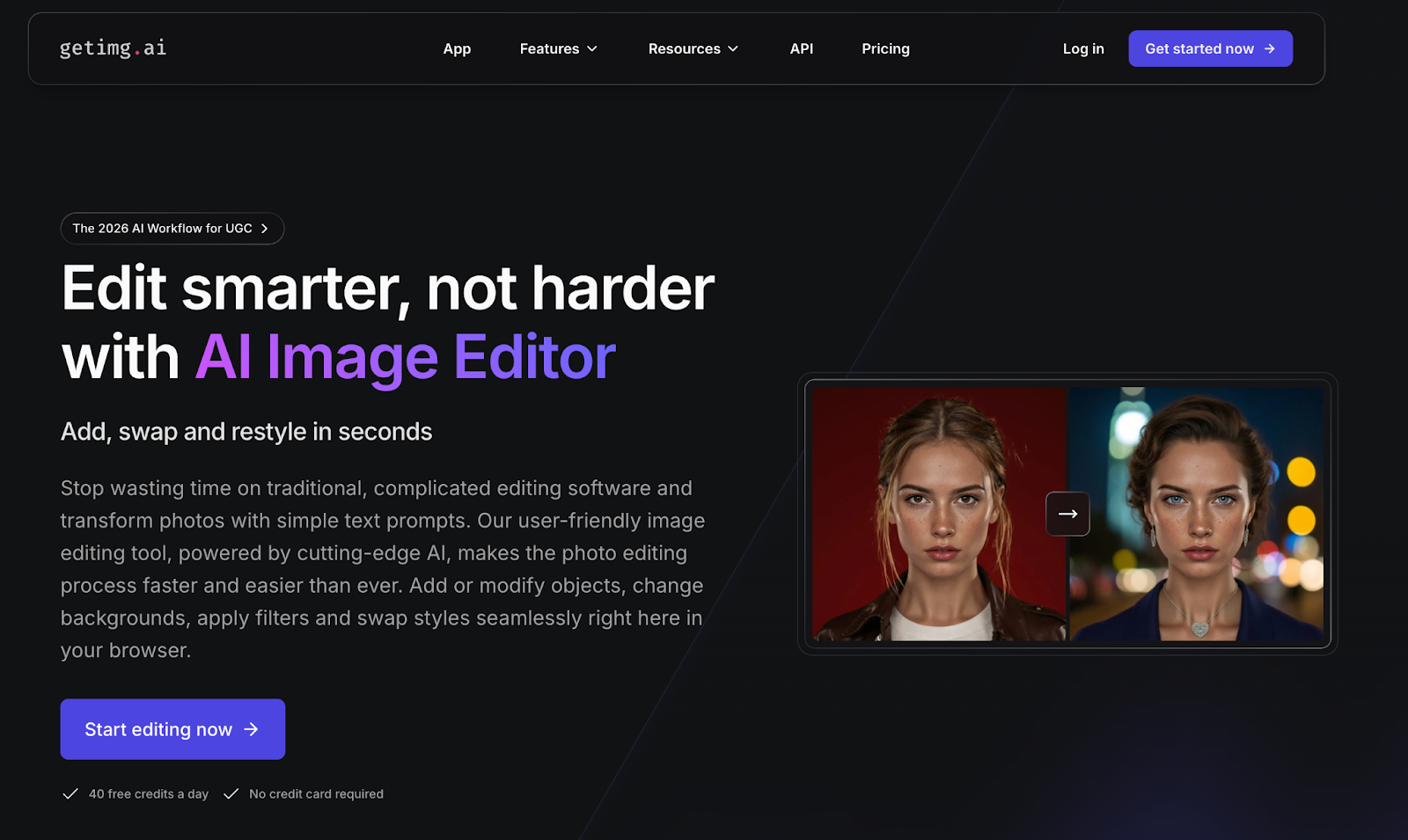
This is where things get interesting for people who want power without complexity.
The AI Image Editor from getimg.ai handles the full range of editing tasks through simple text prompts. Add objects, swap backgrounds, apply style changes, modify specific elements. All in your browser, no downloads required.
What sets it apart is the balance between accessibility and capability. The interface stays clean and intuitive while offering genuine creative control. You can make precise adjustments without wading through menus or learning keyboard shortcuts.
The platform offers 40 free credits daily, which lets you properly test whether it fits your workflow before committing. That’s refreshing in a market where many tools hide their limitations behind paywalls.
For freelancers, small businesses, and content creators who need professional results without professional software budgets, this hits the sweet spot.
Canva AI
Canva built its reputation on making design accessible. Their AI features follow the same philosophy.
Magic Edit lets you modify images with text descriptions. Magic Eraser removes unwanted elements cleanly. Background Remover does exactly what the name suggests. Everything integrates with Canva’s broader design ecosystem.
The strength here is convenience. If you’re already using Canva for social media graphics or presentations, the AI tools slot right into your existing workflow. No context switching between applications.
The limitation is depth. Canva prioritizes simplicity over advanced control. Complex edits or specific creative visions might bump against the platform’s boundaries. It’s excellent for quick fixes and standard use cases, less suited for pushing creative limits.
Runway ML
Runway takes a different approach. This platform targets creative professionals who want cutting-edge capabilities.
The AI tools here go beyond basic editing into genuine creative experimentation. Style transfers, motion effects, advanced inpainting. If you’ve seen impressive AI-generated video content online, there’s a decent chance Runway powered it.
The tradeoff is accessibility. More power means more complexity. The learning curve is manageable but real. Pricing reflects the professional positioning too.
For agencies, production studios, and creators pushing boundaries, Runway delivers capabilities you won’t find elsewhere. For everyday editing needs, it’s probably overkill.
Pixlr AI
Pixlr has offered free online photo editing for years. Their AI additions bring that same accessible approach to intelligent editing.
The platform handles standard tasks competently. Background removal, object deletion, batch processing for multiple images. The free tier is genuinely usable, not just a teaser for paid features.
Where Pixlr shines is simplicity for basic needs. Where it struggles is sophisticated editing. The AI capabilities feel like additions to a traditional editor rather than ground-up AI-native design. Fine for casual use, limiting for professional workflows.
Choosing What Works for You
The right tool depends on what you’re actually doing.
Processing product photos for an online store? You need speed and consistency. Getimg.ai or Canva handle this efficiently without overcomplicating things.
Creating marketing visuals with specific brand requirements? Adobe Firefly’s precision and quality control make sense despite the higher cost.
Experimenting with cutting-edge creative effects? Runway opens possibilities other platforms can’t match.
Most people don’t need the most powerful option. They need something that solves their specific problems quickly and affordably.
Start Editing Smarter
The gap between AI image editing and traditional methods widens every month. New features roll out constantly. Results improve steadily. What required expertise yesterday becomes automated tomorrow.
You don’t need to master every platform. Pick one that fits your current needs. Learn it well enough to be productive. Revisit your choice in six months as the landscape evolves.
The point isn’t chasing the newest technology. It’s getting better results with less effort.
Your time has value. Spend it on creative decisions, not technical wrestling. Let the AI handle the rest.
Was this news helpful?
 Yes, great stuff!
 I’m not sure
 No, doesn’t relate



