



Rewrite Your AI Content for Natural Sound: Clever AI Humanizer Review

Rewrite Your AI Content for Natural Sound: Clever AI Humanizer Review
If you want to humanize AI text and make it sound real without payment or extra setup, Clever AI Humanizer gives a clear solution. The platform rewrites AI text in seconds, adds rhythm and tone, and helps bypass AI detectors so your text reads as if a person wrote it.
In this review, you will see why AI content now feels repetitive, how Clever AI Humanizer solves that problem, what features it offers, its main pros and cons, and how to use it step by step to achieve natural and undetectable results.
Too Much AI Content and What We See Right Now
We’re watching the internet flood with AI-written text faster than anyone imagined. Each day, thousands of new articles appear – clean, polished, and technically correct, yet empty inside. They read the same, sound the same, and leave no impression. People scroll through them without attention because nothing feels real.
We also notice that readers grow tired of this sameness. Many skip AI-heavy pages after a few lines. Search engines react similarly – algorithms no longer reward content that looks perfect but lacks emotion or rhythm. Even genuine writers face problems when their text, written by hand, receives an AI label only because it follows balanced patterns.
In our view, the main problem is not that AI creates text but that most of it loses personality in the process. The more mechanical the tone becomes, the less people trust what they read. This trend highlights the need for creators to use tools that help humanize AI text and keep their writing authentic without losing meaning.
Clever AI Humanizer Gives Content a Human Voice
Clever AI Humanizer appears as a response to the flood of robotic text that now fills the Internet. The platform positions itself as a free tool that helps writers, marketers, and editors bring back a natural tone to AI-generated drafts without extra setup or subscriptions.
Clever AI Humanizer improves rhythm, tone, and structure in a way that makes AI-written text sound closer to a human voice. Users paste their content, press Humanize, and receive a version that feels more alive.
The platform supports 7,000 words per session and 200,000 words per month, and the limits may vary with plan updates. Everything stays free of charge. The interface is clean and fast, and most rewrites take seconds. Users rely on it to humanize AI text in a way that keeps the original message accurate and easy to read.
Feedback from people on Reddit supports this view. Reviewers often point out that the tool remains free and performs better than most alternatives when it comes to lowering detection scores. Some mention that a few phrases sound too simple, but overall, the tool performs well as a reliable AI text humanizer for anyone who values natural results.
As the developer states in the update from October 30, 2025, the system now works with far higher accuracy and reaches stronger human scores on ZeroGPT and GPTZero. This improvement raises the overall reliability of the platform and helps the output pass real-world tests with greater confidence.
What Clever AI Humanizer Can Do and How it Works
Our tests show that Clever AI Humanizer can add a natural pace to AI-generated text. Many automatic tools produce clean but lifeless sentences that follow the same fixed pattern from start to finish. This platform uses a different method and reshapes text in a way that gives it a more human tone. It also appears among the best AI humanizing platforms, which further confirms its position among strong free solutions.
In real use, the tool gives users more control over tone and structure. A short rewrite turns a mechanical draft into text that feels clearer and more personal. The system detects rigid pacing, changes sentence length where needed, and introduces natural variation, so the result reads closer to normal speech rather than strict code.
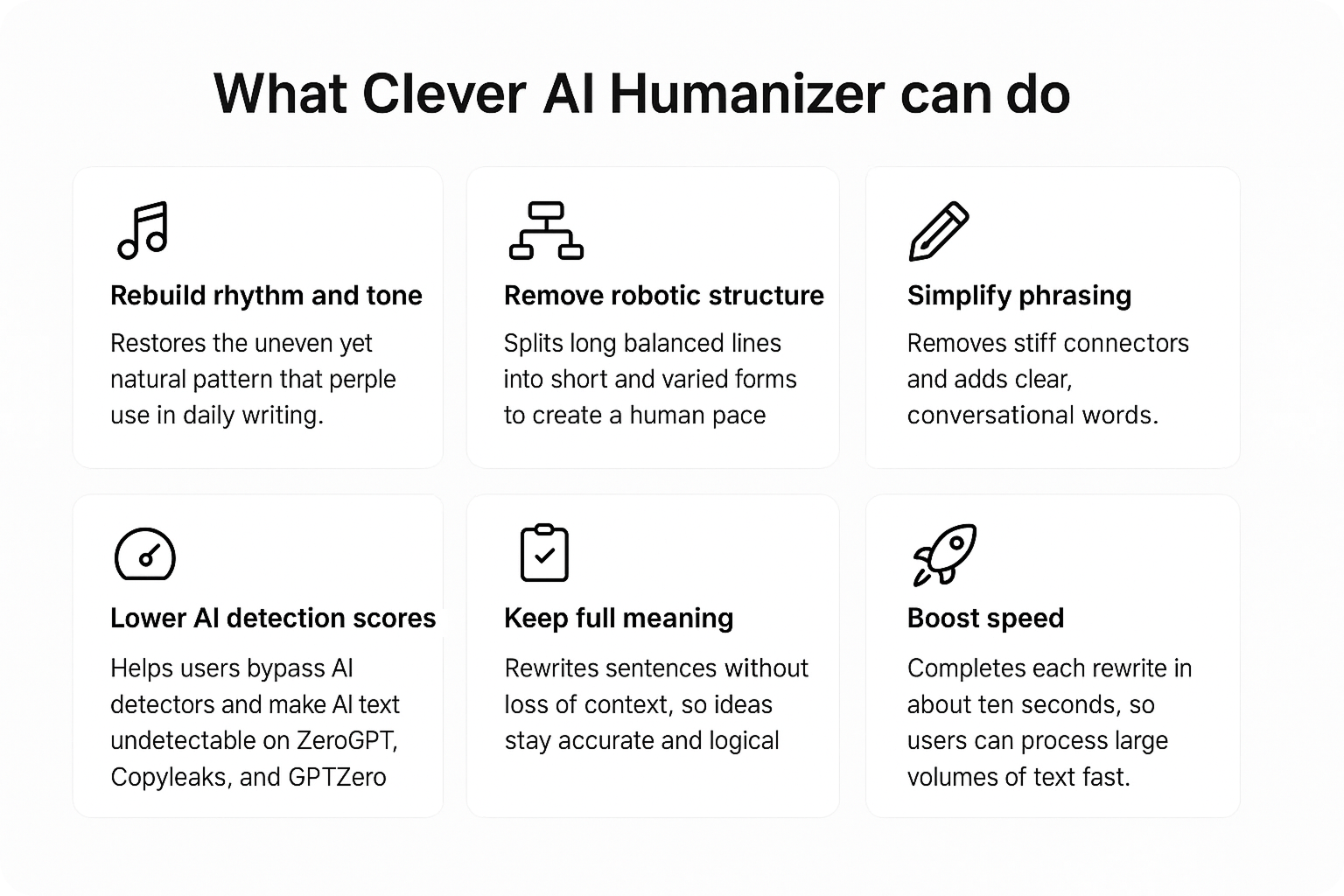
Here is what Clever AI Humanizer can do:
- Rebuild rhythm and tone – restores the uneven yet natural pattern that people use in daily writing.
- Remove robotic structure – splits long balanced lines into short and varied forms to create a human pace.
- Simplify phrasing – removes stiff connectors and adds clear, conversational words.
- Lower AI detection scores – helps users bypass AI detectors and make AI text undetectable on ZeroGPT, Copyleaks, and GPTZero.
- Keep full meaning – rewrites sentences without loss of context, so ideas stay accurate and logical.
- Boost speed – completes each rewrite in seconds, so users can process large volumes of text fast.
It serves as a free AI to human text converter, and a dependable choice for anyone who needs to turn AI content into human text. Through frequent updates and real user feedback, Clever AI Humanizer continues to evolve and helps AI-written drafts sound closer to real human language.
Pros and Cons of Clever AI Humanizer
We tested Clever AI Humanizer across various types of content – long articles, product pages, and short social posts. Our purpose was to see how well it performs under real conditions: how fast it processes text, how naturally it restores tone, and how much it lowers AI detection scores. The results confirm that the tool delivers solid value for everyday use. It keeps structure intact, restores rhythm, and performs consistently across platforms such as ZeroGPT.
Despite its free access and simplicity, Clever AI Humanizer competes with paid software in both speed and reliability.
In most cases, the tool rewrites drafts in under ten seconds and cuts AI probability from 80-90% to below 20%. Still, like any product, it has a few weak points that users should know about before using it for large-scale work.
Strengths
Here are examples of strong sides that make Clever AI Humanizer stand out among other tools.
- Works as a free AI humanizer without hidden limits or subscriptions.
- Processes up to 7,000 words per run with stable results.
- Delivers human-style text that keeps context and logic intact.
- Reduces AI detection scores sharply on GPTZero and Copyleaks.
- Features a simple, fast, browser-based interface.
- Maintains the original tone and structure with only minor adjustments.
Weaknesses
Here are examples of areas where Clever AI Humanizer still needs improvement. They do not affect the core performance but show what could make the tool even more precise and flexible in the future.
- Produces weaker results on Originality.ai.
- Some word replacements sound too plain or slightly off-context.
- Lacks tone presets such as casual, formal, or academic.
- Requires small manual edits for full stylistic control.
Summary table:
| Category | Strengths | Weaknesses |
| Access | Free use, no paywall or setup | — |
| Speed | Finishes rewrites in about ten seconds | — |
| Output | Natural rhythm, clear tone, stable meaning | Some words sound too simple |
| Interface | Fast, responsive, browser-based | No tone presets |
| Detection | Strong drop in AI scores on ZeroGPT, GPTZero, and Copyleaks | Weaker results on Originality.ai |
Step-by-Step Guide to Use Clever AI Humanizer
Clever AI Humanizer offers a very simple workflow, yet many users ask for a clear example of how to get the best results. The steps below show a straightforward method that helps lower AI detection scores and produce a more natural version of the text.
How to use Clever AI:
- Test your text first. Open a detector such as ZeroGPT or Originality.ai before any edit. Paste your text and check how much of it appears as AI output. Note the score or take a screenshot – this gives a clear point of comparison after the rewrite.

- You do not need to change the entire document. Copy only the fragments that show a high AI probability. This saves time and keeps the main structure intact.
- Visit the Clever AI Humanizer website, paste the copied text into the input field, and press Humanize. Wait a few seconds for the system to process the text and show a rewritten version.

- Review the result. Read the output with attention. Check whether the tone fits your style and if any phrases need correction. Replace a word or divide a sentence if it feels too formal or repetitive.

- Recheck detection results. Paste the new version back into your detector. As you can see in our tests, the score drops to zero percent. You can repeat this process for any sections that still look machine-generated.

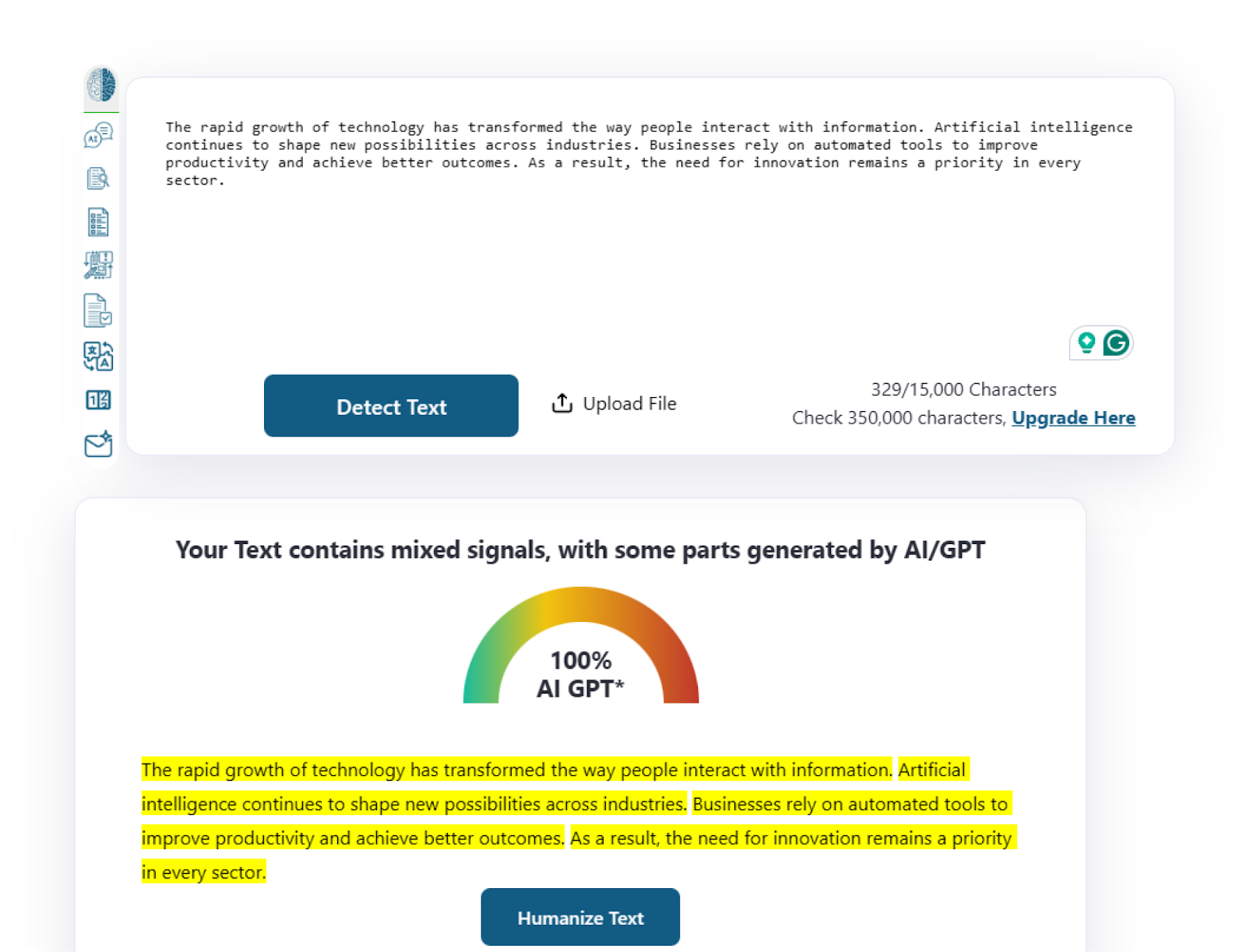
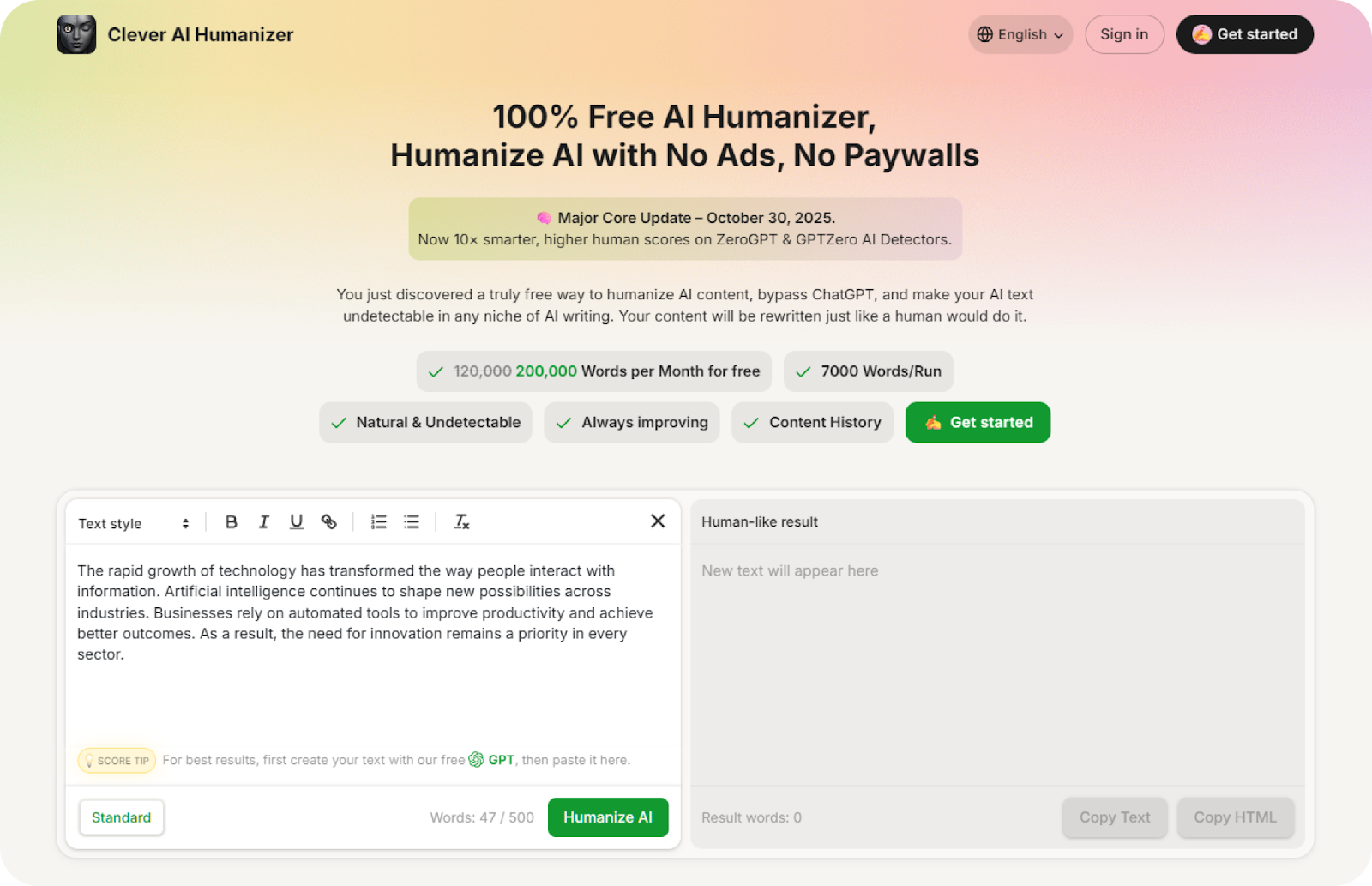
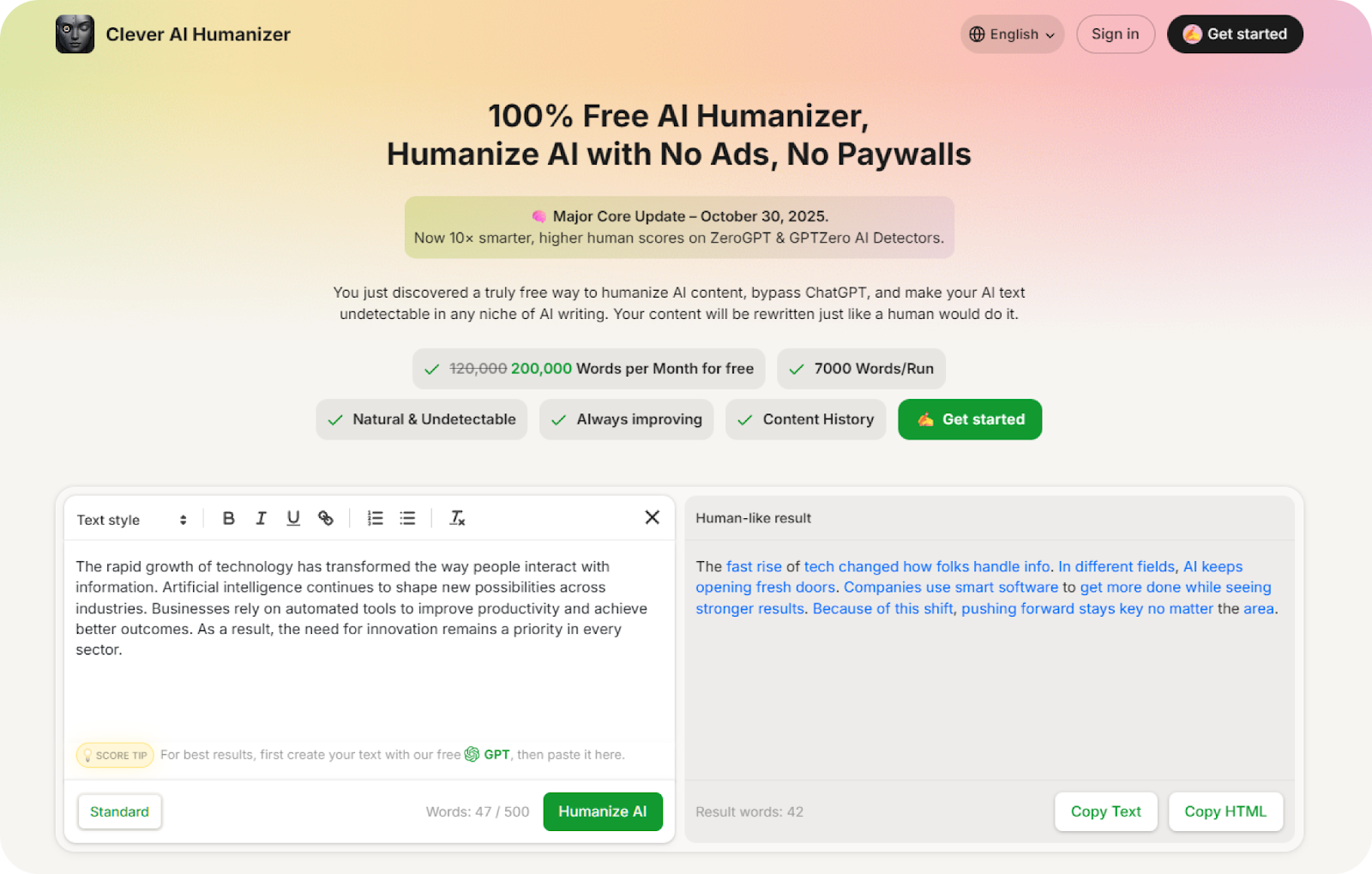
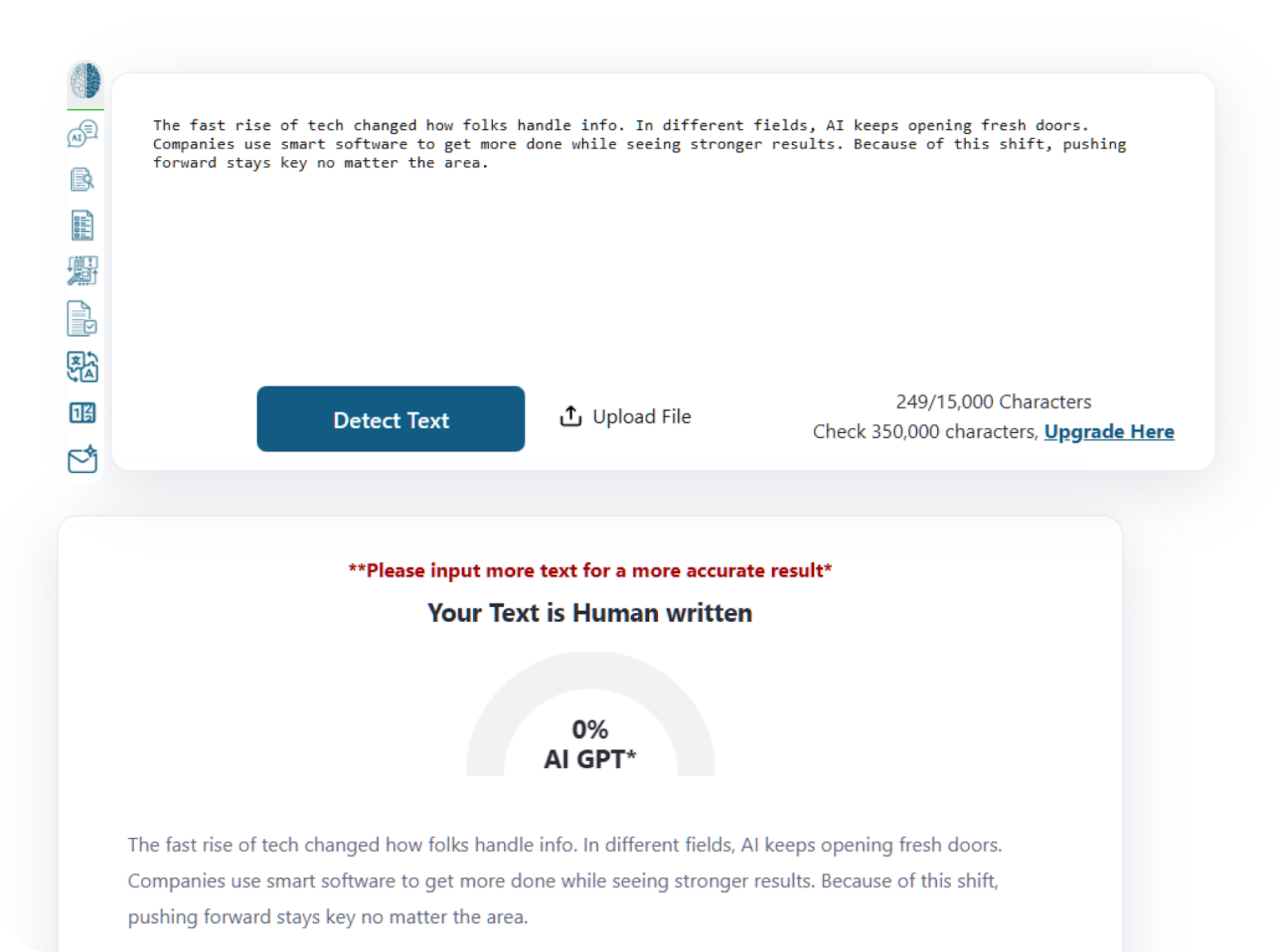
This method helps us keep every line consistent and natural while reducing AI detection to a safe level. Clever AI Humanizer makes the process fast, accurate, and free – a reliable way to reach authentic text.
Final Thoughts
Over the course of our tests, Clever AI Humanizer proved its ability to fix flat rhythm, remove mechanical tone, and refresh the overall flow of AI-written drafts. The text gained a natural voice, clearer structure, and a more confident pace without any loss of meaning or logic. For anyone who needs AI help with writing, this tool provides a direct and reliable solution that outperforms many alternatives.
The platform completes each rewrite in a few seconds and keeps the original message intact. ZeroGPT and GPTZero scores dropped sharply after one pass, which confirmed the tool’s strength in real scenarios. It also works well as a ChatGPT humanizer, especially when a draft requires a more personal voice. The fact that the service stays fully free adds extra value for anyone who deals with frequent rewrites.
Based on our observations, Clever AI Humanizer deserves 5 out of 5 for simplicity, accessibility, and stable output quality.
In short, anyone who wants text with a real human tone can rely on this tool. It preserves clarity, improves flow, and shows that a natural voice still matters more than any automated pattern.
Was this news helpful?
 Yes, great stuff!
 I’m not sure
 No, doesn’t relate



